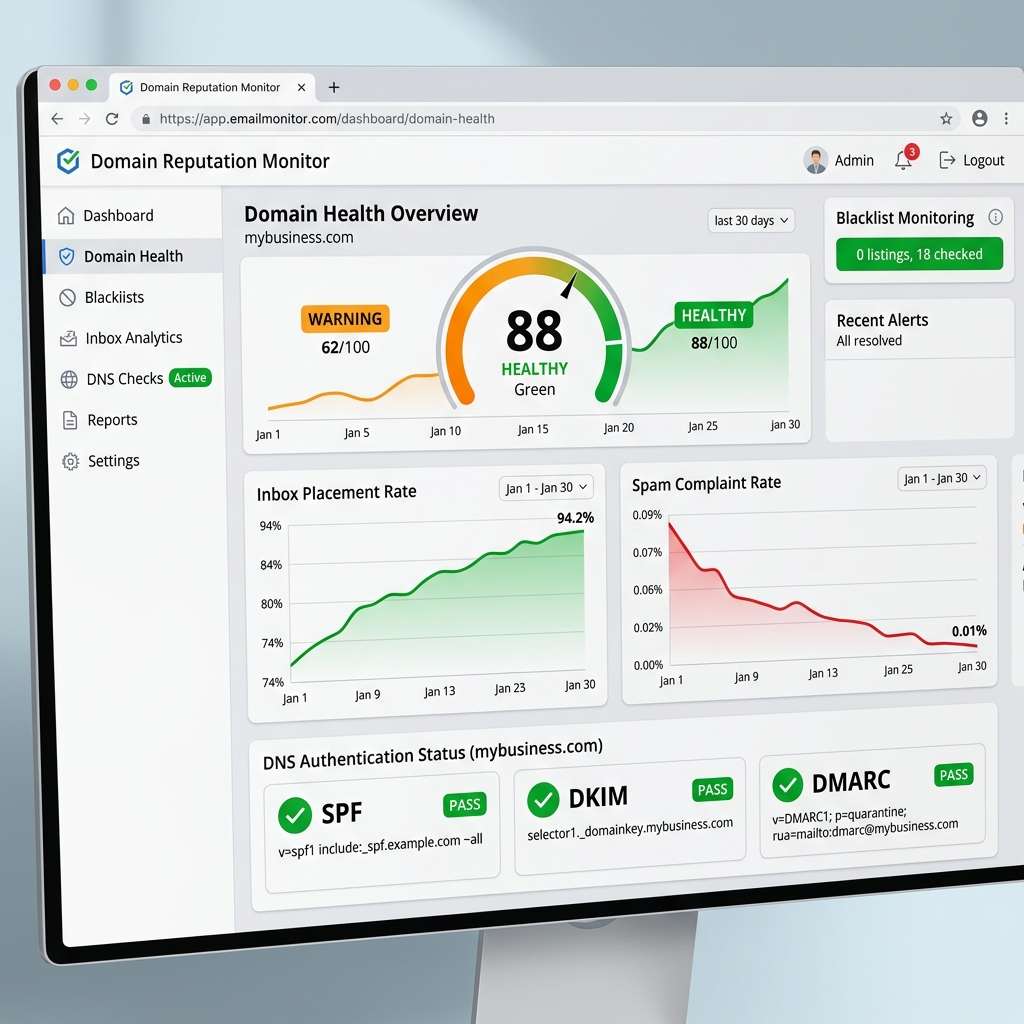

Imagine this real-world business scenario: You're running a critical marketing campaign. Suddenly, open rates plummet from 25% to under 2%. Your sales team complains that prospects aren't receiving their calendar invites. You check your logs and see the dreaded SMTP error: "550 5.7.1 Service unavailable; Client host [IP] blocked using Spamhaus."
Your domain has been blacklisted.
In 2026, major inbox providers like Google and Yahoo have become ruthless against unsolicited mail and misconfigured infrastructure. A blacklisted domain isn't just an annoyance; it’s a revenue-halting crisis. This guide will walk you through the exact technical steps to identify the problem, request a delisting, and rebuild your domain reputation.
1. Identify the Blacklist and the Root Cause
First, you must determine who blacklisted you and why. There are hundreds of DNS-based Blackhole Lists (DNSBLs), but only a few truly matter.
Use tools like MXToolbox or Google Postmaster Tools to check your domain and sending IPs. Pay close attention to listings on:
- Spamhaus (SBL/XBL/PBL): The most critical blacklist. A Spamhaus listing affects Microsoft, Yahoo, and corporate firewalls globally.
- Spamcop: Driven by user spam reports and spam traps.
- SORBS: Often flags open relays or dynamic IPs.
Root Cause Troubleshooting Checklist
Before proceeding, you must audit your infrastructure against these common failures:
- DNS Authentication: Are SPF, DKIM, and DMARC passing? (Run a check using tools like Mail-Tester).
- Spam Traps: Did you recently purchase an email list or scrape contacts? Spam traps are honeypot addresses that instantly flag senders.
- Complaint Rates: Did your spam complaint rate exceed Google's strict 0.1% threshold?
- Sudden Volume Spikes: Did you suddenly send 100,000 emails from an IP that normally sends 1,000?
2. Perform a Deep DNS & Infrastructure Audit
If your emails are bouncing, you must inspect the raw SMTP headers. Let's look at a common misconfiguration.
# Incorrect SPF Record (Too permissive, allows spoofing)
v=spf1 a mx ~all

# Correct 2026 SPF Record (Strict failure, explicit IPs)
v=spf1 ip4:192.168.1.100 include:_spf.google.com -all
Ensure your Reverse DNS (rDNS / PTR record) matches your sending domain perfectly. If your IP resolves to a generic cloud provider hostname (e.g., ec2-54-1-2-3.compute-1.amazonaws.com), you will be blocked.
3. The Delisting Request Process
Once you have identified and fixed the root cause, you can appeal to the blacklist operators. Here is how to handle the major organizations:
| Blacklist Operator | Impact Level | Delisting Difficulty | Required Action |
|---|---|---|---|
| Spamhaus | Critical | High | Must prove the issue is resolved. Fill out their specific removal form with technical details. |
| Spamcop | High | Medium | Listings often expire automatically after 24-48 hours if the spam stops. |
| Barracuda | Medium (B2B) | Low | Submit a removal request via their online portal; usually processed quickly. |
4. Repairing Your Domain Reputation (The Warm-up)
Getting off a blacklist is only half the battle. Your domain reputation is now "poor." If you resume normal sending volumes immediately, you will bounce right back into the spam folder.
You must treat your domain as if it were brand new. Initiate a strict IP/Domain warm-up protocol:
- Pause Marketing Blasts: Stop all cold outreach and promotional emails.
- Send Only Transactional Emails: For the first 7 days, limit sending to high-engagement transactional emails (password resets, receipts, welcome emails).
- Segment Your Most Active Users: If you must send a newsletter, send it only to users who have opened an email in the last 14 days. You need a 40%+ open rate to signal to Google that your mail is wanted.
- Gradual Volume Increase: Increase volume by no more than 15-20% per day.
5. Future-Proofing: How to Never Get Blacklisted Again
To avoid repeating this nightmare, implement these architectural safeguards:
- Isolate Traffic Streams: Never send marketing emails and transactional emails from the same IP or subdomain. Use
marketing.yourdomain.comandreceipts.yourdomain.com. - Implement Sunset Policies: Automatically remove subscribers who haven't engaged in 90 days.
- Monitor DMARC Reports: Use a tool to aggregate DMARC XML reports to detect spoofing or misconfigurations before ISPs block you.
Frequently Asked Questions
How long does it take to get un-blacklisted?
It typically takes 24 to 72 hours for a domain to be removed from a blacklist after a formal request is approved. Rebuilding reputation takes 2-4 weeks.
Does changing my IP address fix a domain blacklist?
No. In the past, spammers would just switch IPs ("snowshoeing"). Today, Google and Yahoo track Domain Reputation heavily. A blacklisted domain on a fresh IP will still go to spam.
Can I use a warm-up tool to fix my reputation?
Be extremely cautious. In 2026, AI-based spam filters can detect artificial engagement from automated warm-up networks. Organic, high-quality engagement from real users is the only reliable way to recover.
Conclusion
Recovering from a domain blacklist requires a calm, technical approach. By auditing your DNS, fixing the root cause, communicating professionally with blacklist operators, and strictly managing your recovery volume, you can restore your inbox placement.
If you're tired of battling deliverability issues and want a robust, high-performance infrastructure built right the first time, check out my Enterprise Email Infrastructure Setup services, or reach out to me directly.